


DKP System
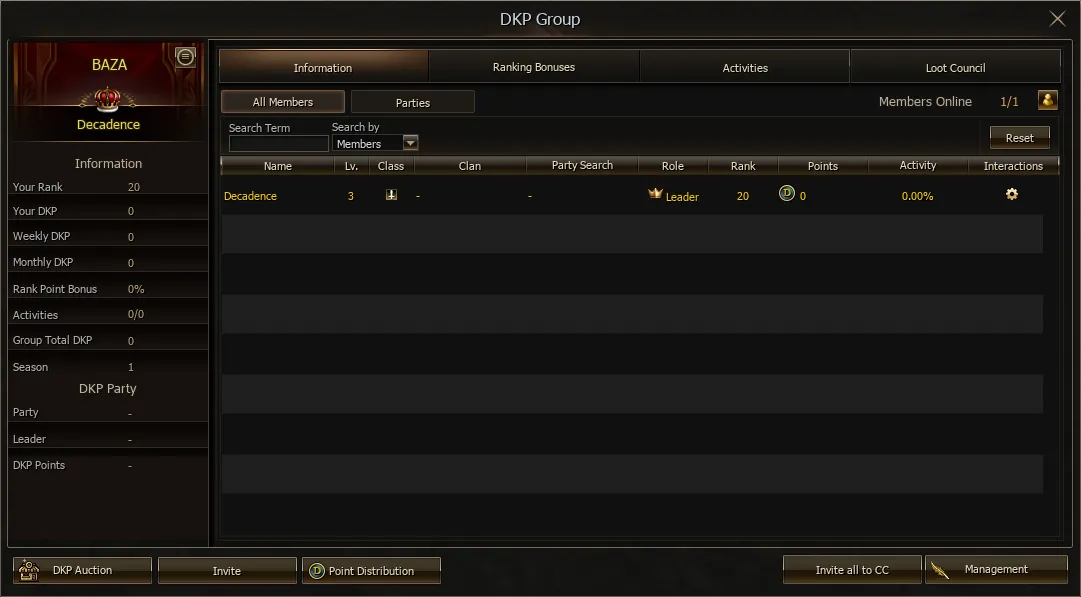
DKP (Dragon Kill Points) — is a system used by clans to distribute loot after defeating bosses.
Each participant receives DKP points depending on their contribution to completing the raid. These points can then be used to bid on items in the auction, as well as to purchase items in the DKP shop.
The system helps make the loot distribution process fairer and motivates players to actively participate in clan activities.

Important: all participants should be familiarized in advance with the rules for earning and using DKP to avoid misunderstandings and conflicts.
-
Viewing activities, auction participation history, as well as purchases in the DKP shop is available to all participants of the DKP system.
-
The DKP system includes flexible rank settings, allowing the Clan Leader or DKP Manager to set additional coefficients for receiving DKP.
-
The «Council Loot» function is available for DKP participants: the Clan Leader can select an item from the Clan Warehouse and transfer it to one of the DKP group members.
-
The list of items and their recipients is displayed in the Council Loot interface so that all participants can see when, by whom, and to whom items from the clan drop pool were distributed.
Character Exchange
Character Exchange is a feature for buying and selling characters with the subsequent withdrawal of real funds to USDT, SBP, or the master account.
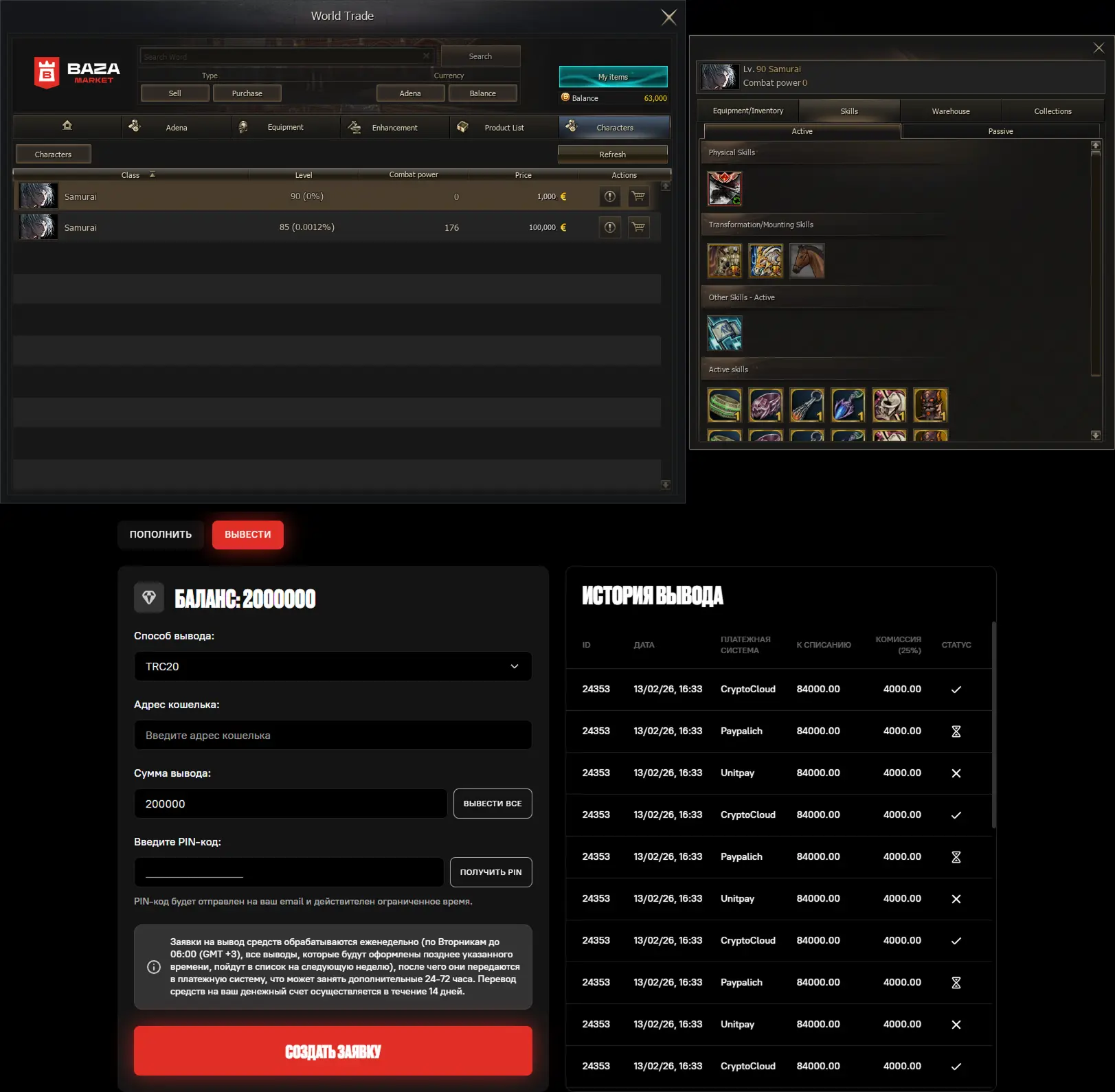
More details about how the Character Exchange works can be found via the link.
Command Channel
The updated Command Channel System is a tool created to make raid management more strategic, coordinated, and efficient.
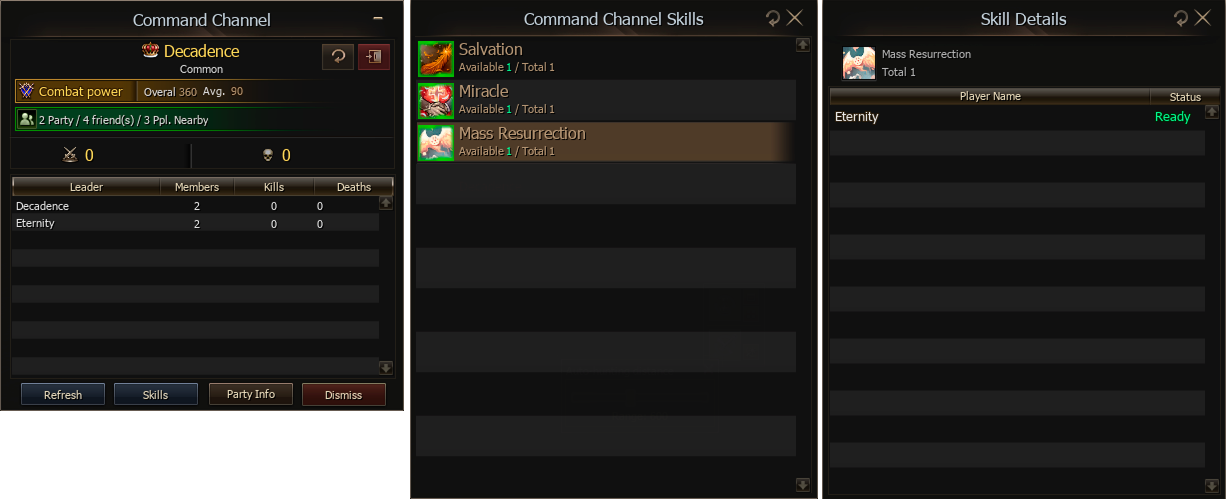
With this system, you will be able to:
-
Track the cooldown time of key skills in real time directly during a raid.
-
Analyze the effectiveness of each group and participant by viewing their individual K/D/A indicators.
-
See the skill status of all participants: who is ready to act and whose abilities are on cooldown.
-
Provide access to the most important information so that every participant can act as effectively as possible.
List of skills available in this interface:
 Mass ResurrectionResurrects dead clan members.XP recovery: 0%Reuse delay: 600 s
 SalvationResurrects after death.Max HP +500Buffs/ debuffs remain after death.Reuse delay: 3600 s
 MiracleRestores 100%% of HP to nearby clan members.Reuse delay: 3600 s
 Opal - Special PropertyFor 1 sec., grants immunity to debuffs and anomaly states.Reuse delay: 300 s
 Phoenix ProtectionPhoenix protects your party members.P. Def. +15%M. Def. +20%Received Healing +20%If the caster is far, the skill is cancelled.Reuse delay: 450 s
 FrenzyP. Atk. +9%Atk. Spd. +8%Basic Critical Rate +5Basic Critical Damage +5%P. Skill Critical Rate +4%P. Skill Critical Damage +4%Speed +9When using a two-handed sword:P. Atk. +10%P. Accuracy +8Cannot be used with Guts.Reuse delay: 300 s
 GutsP. Def. +200P. Def. +30%Speed +9Debuff Resistance +5%Anomaly Resistance +5%Cannot be used with Frenzy.Reuse delay: 300 s
 ZealotAtk. Spd. +10%P. Critical Rate +22P. Critical Damage +22%P. Skill Critical Rate +11%P. Skill Critical Damage +11%P. Accuracy +6Speed +10P. Skill MP Consumption -50%Buff Cancel Resistance +40%Received Healing -50%Knockback Chance +3%Recovers 80 MP, when using the skill.Reuse delay: 300 s
 Final SecretP. Skill Power +10%Bow Resistance +40%M. Damage Resistance +40%Reuse delay: 150 s
Note: thanks to real-time data updates, leaders and participants will be able to coordinate actions better, plan skill usage, and make more accurate decisions.
Clan Division System
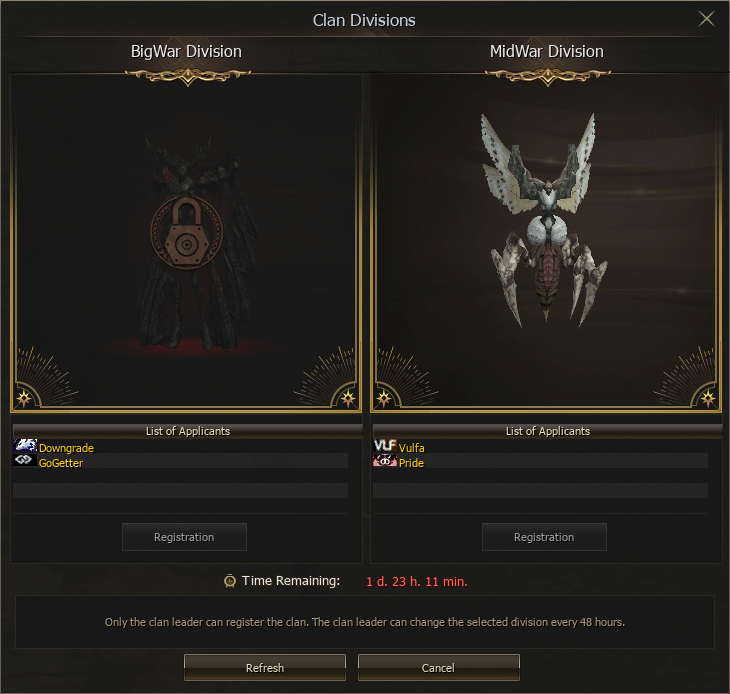
Clan Divisions — is a system that divides clans into two categories: BigWar Division and MidWar Division.

-
The clan division window is located in the clan menu Alt + N.
-
The division can be changed once every 48 hours.
-
BigWar division bosses are located in the open world. Players who are not members of clans in this division receive a special debuff that reduces all stats when entering the boss zone.
-
MidWar division bosses are located in a separate zone, accessible only to clans registered in this division.
Auto-Hunt and Target
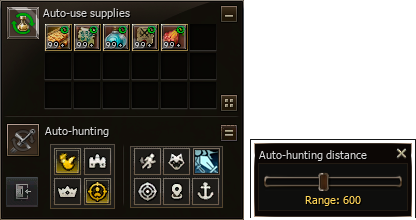
The game features a vanilla auto-hunt system that preserves the convenience of modern solutions. It is also equipped with a separate interface for automatically using various consumables, so the shortcut panel does not become cluttered.

-
Fixed hunting zone.
-
Display of the fixed zone radius as a unique red circle.
-
Disabling auto-hunt when moving.
-
Town mode.
-
Assist by party leader.
-
Stand in place.
-
Enable offline farming.
-
Macro simulation.
Target Capture and Drop List

-
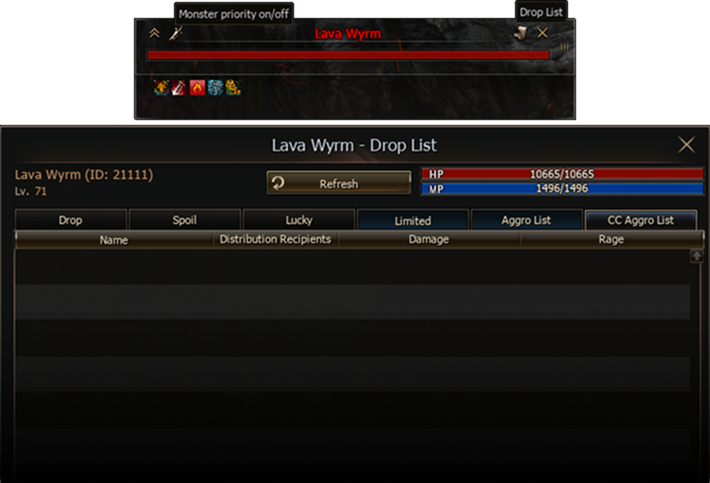
Target Capture allows you to prioritize destroying the monsters you need.
-
Target Capture settings are reset after restarting the character.
Target Window

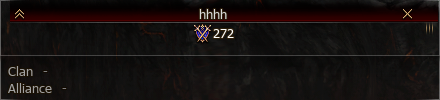
The target window has several features:
-
Display of Combat Power — Gear Score. The color changes depending on the Combat Power level.
-
When a character dies, the window is highlighted in red. This feature does not apply to monsters.
PvP Next Target and Assist
Two new functions are available in the actions window Alt + C.


-
PvP Next Target allows you to select only characters and enemies, regardless of the selected target in auto-hunt. Now you no longer need to constantly switch targets during solo or mass PvP battles.
-
Assist Party Leader simplifies targeting: now you can assign assist by party leader to any convenient key.
Character Settings
Character settings allow you to flexibly manage animations, enable and disable game notifications, view information about the premium account, L-Coin limit, and also use the warehouse and grocery from any point on the map.

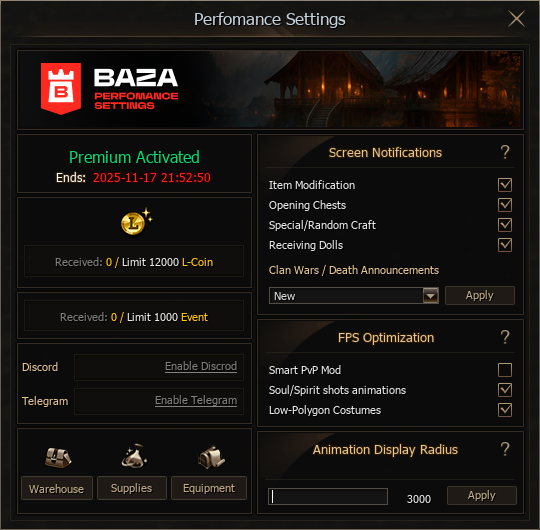
Screen Notifications
-
Updated — a new type of kill and death notifications. This notification can be freely moved around the screen. To change its position, open Settings and select the UI section.
-
Classic — the old type of kill and death notifications.
-
Disabled — completely disables screen notifications about kills and deaths, leaving the information only in the system chat.
FPS Optimization
-
Smart PvP Mode — a function that disables the most resource-intensive animations and visual effects whose informativeness is minimal in mass battles.
-
Low-Polygon Costumes — when this function is enabled, all characters, regardless of equipped gear, will be displayed in special low-polygon costumes. This will noticeably increase performance and improve FPS.
Party Highlight
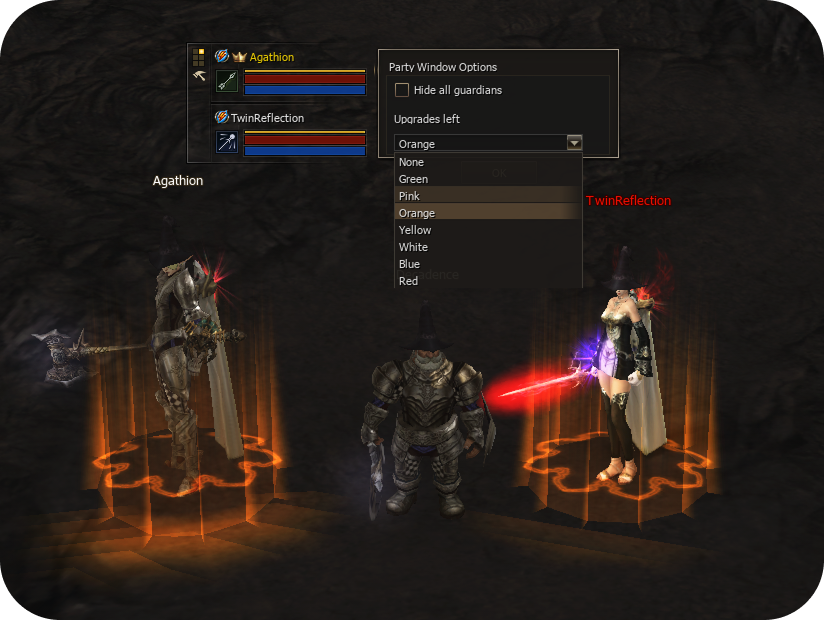
Afraid of losing your party members in mass battles? Now this is no longer a problem.
The party member highlight system will help you always keep allies in sight and minimize positioning mistakes.

Party Search
The Party Search system has returned to the game. The ability to publish recruitment announcements directly in the world chat has also been added.
Now, to join a group, you only need to find a suitable announcement, click on it, and send a participation request.

Skill Learning
-
Learning skills that do not require any items is performed with one click without interruptions.
-
According to the first Release update, all skills are learned using Magic Tablets.
CC Leader Mark
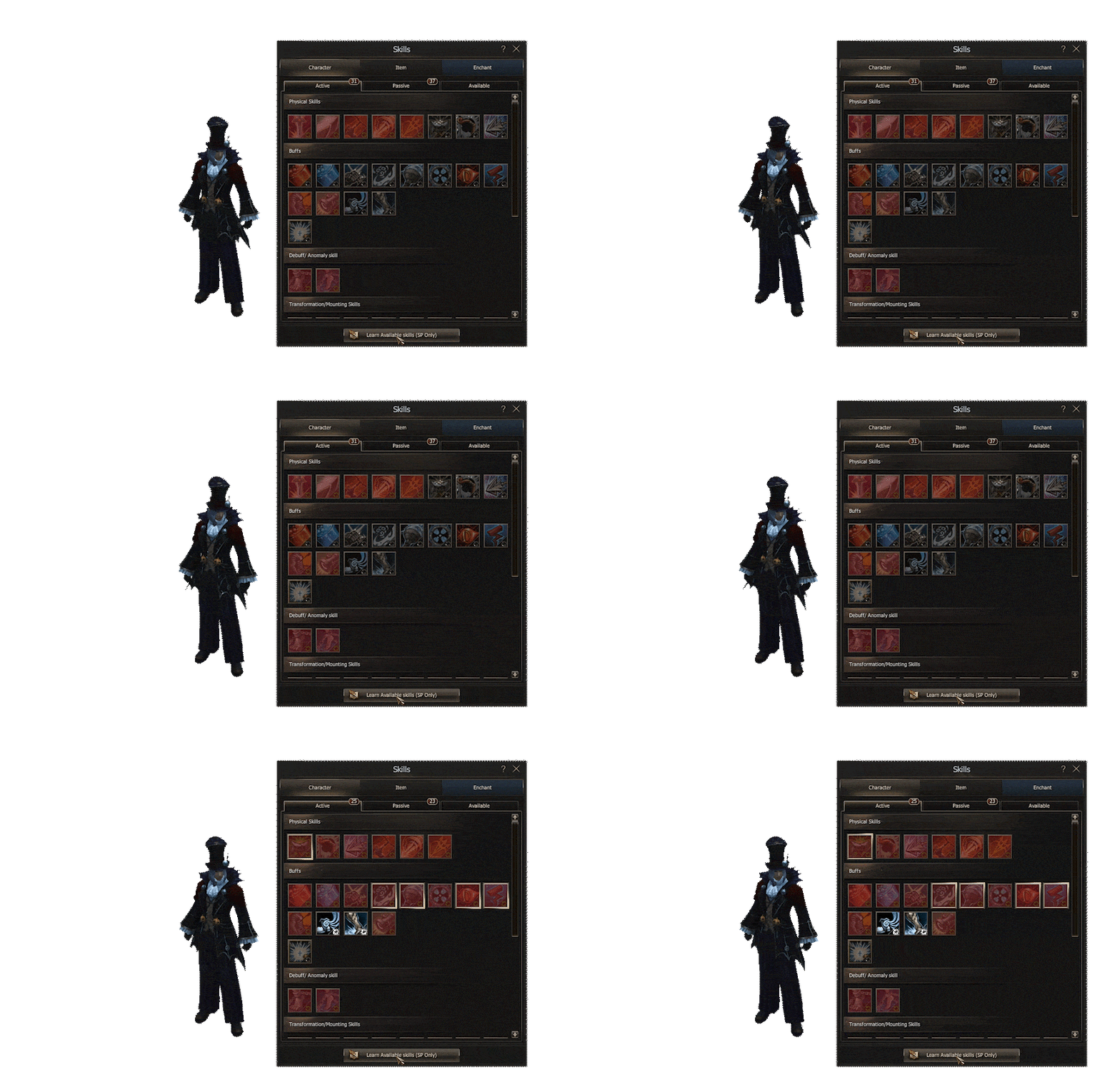
Special marks for the command channel leader have been added for more convenient clan or alliance management.
The marks can be found in the Skills section — Alt + K.
Inventory
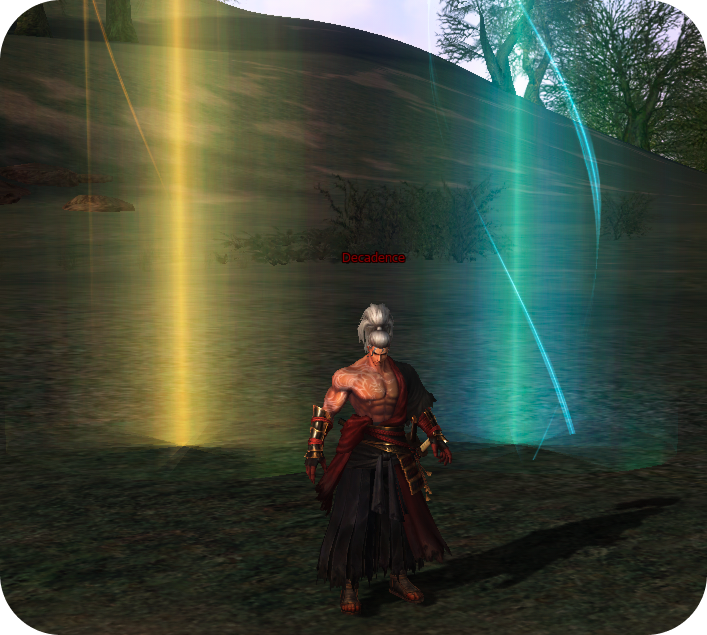
New functions have been added to the inventory window, making item management more convenient.
-
Quick search for necessary items.
-
Changing the inventory size in three modes: the first mode is suitable for Full HD screens, the second for 2K, and the third for 4K resolutions.
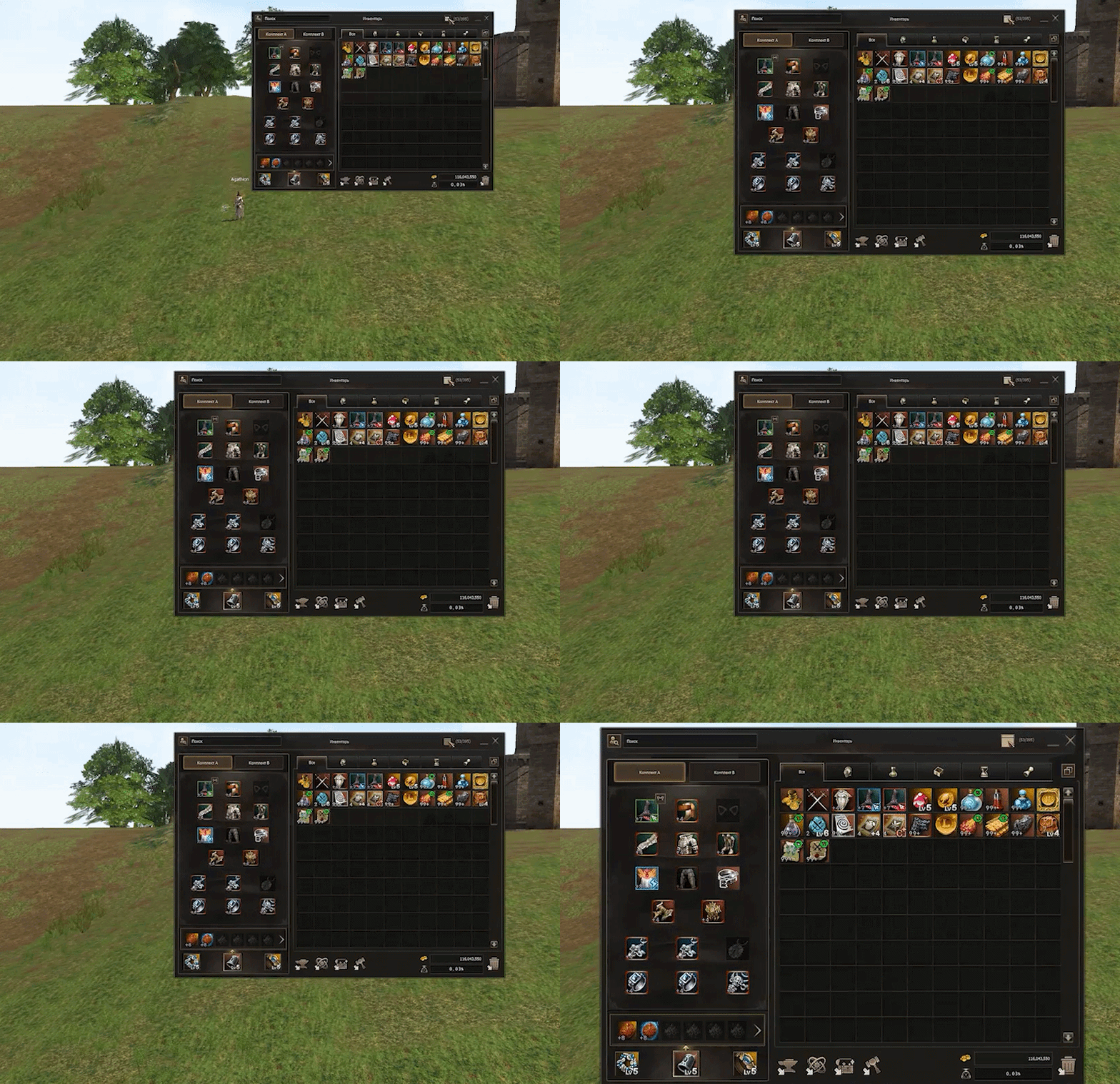
Managing letters has become even easier. Now you can collect all items or delete all unnecessary letters with just one click.


Modification and Synthesis
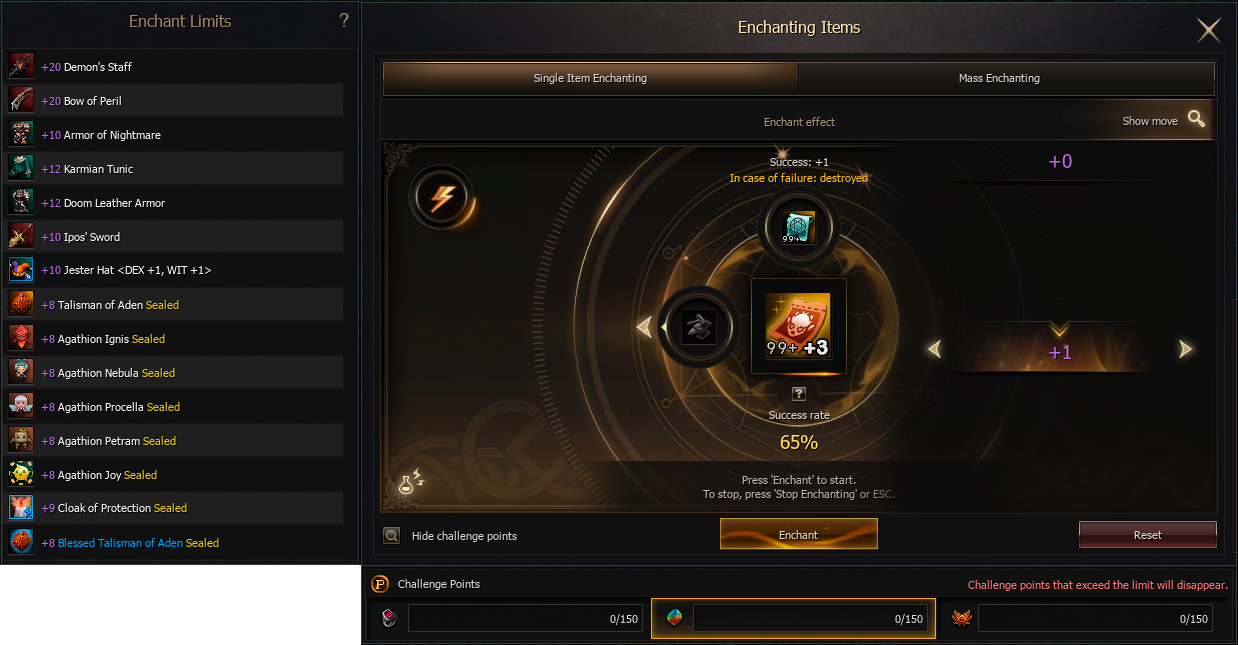
The ability to modify boxes and coupons has been added, and the number of slots for mass item modification has also been increased.

Synthesis
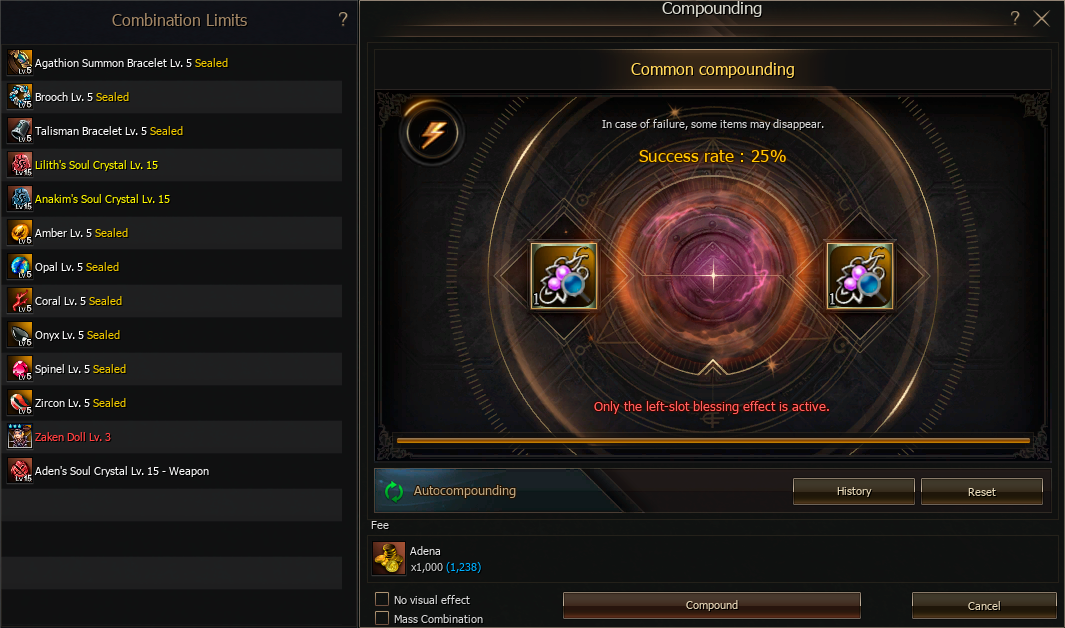
The synthesis process has become simpler and faster: now all available packages can be synthesized with one click.

Guarantee


The game features a guaranteed modification system that allows various items to be improved consistently.
The guarantee system applies to the following mechanics:
-
Item modification.
-
Synthesis of all items: both packed and unpacked.
-
Item blessing.
-
Skill modification.
-
Item creation in the «Special Crafting» section.
Note: items have a unified guarantee regardless of whether they are in a chest or already unpacked.
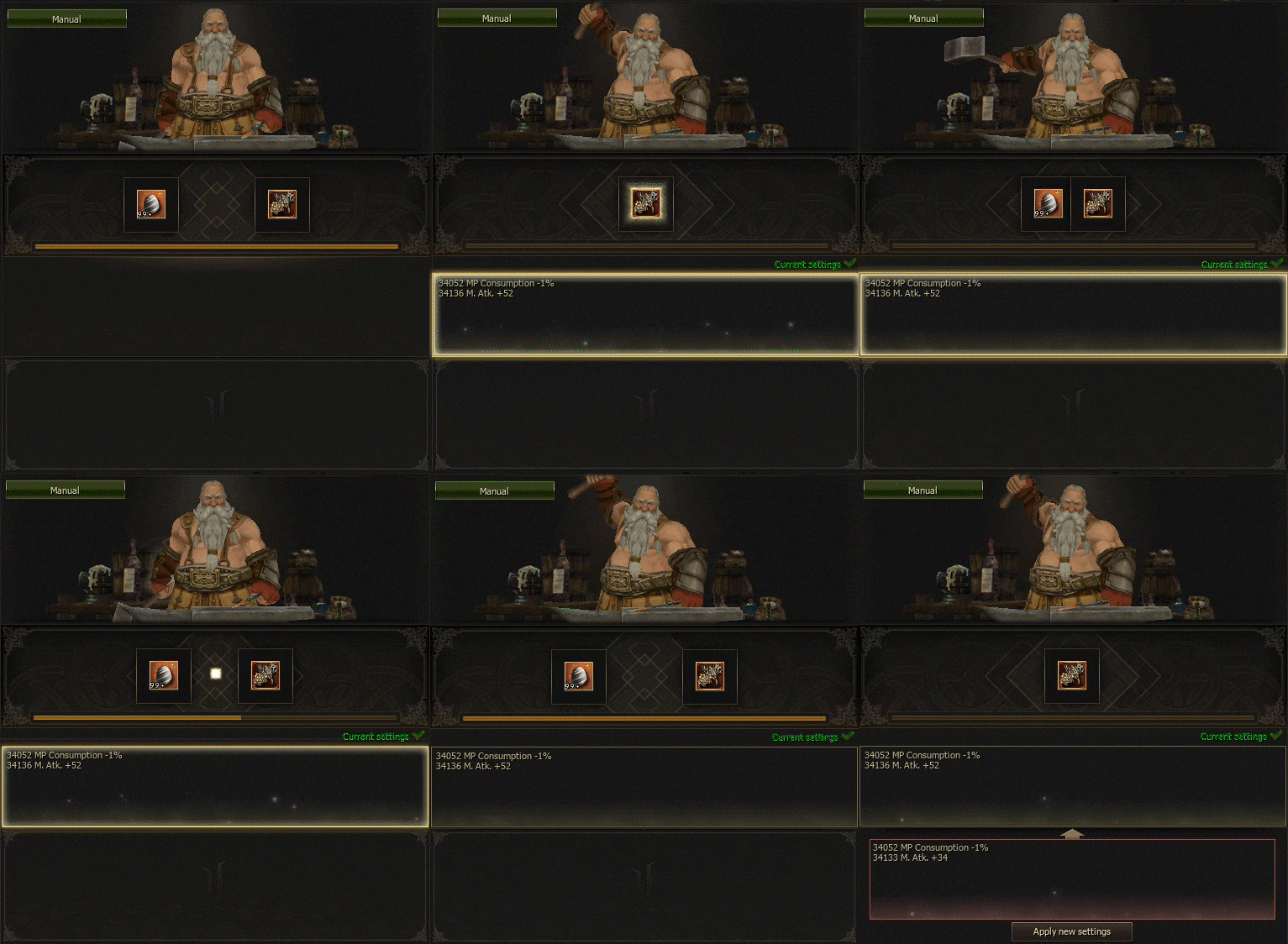
Item Augmentation
The automatic item augmentation function has been implemented: the system automatically applies the found effect and simultaneously searches for two suitable matches.

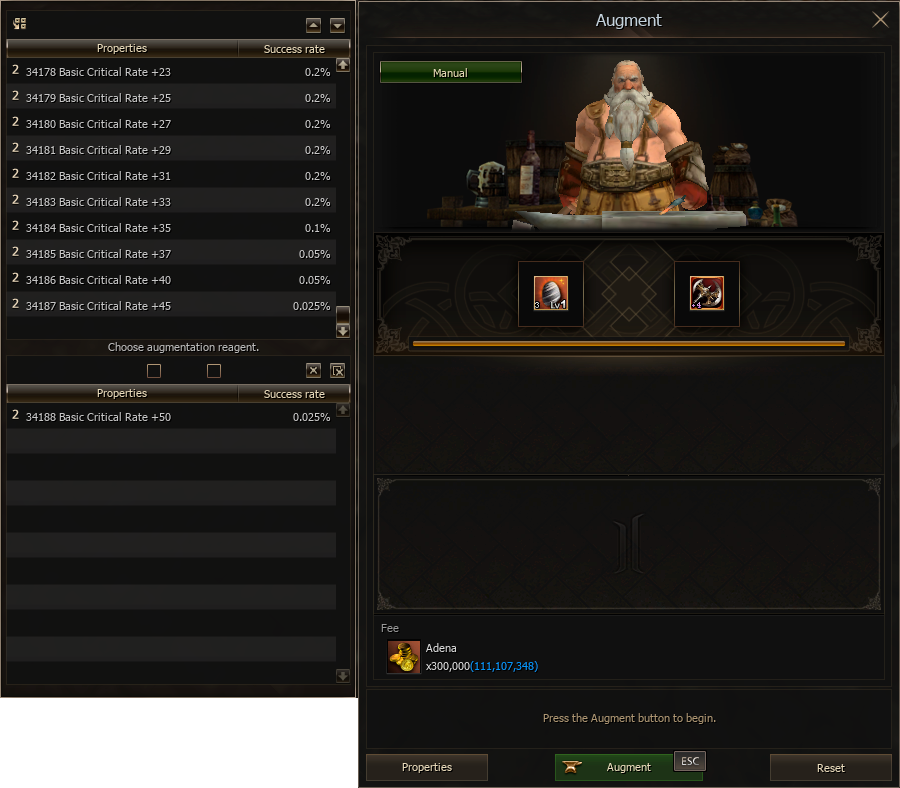
Important: gems are no longer required when inserting Life Stones. Now only adena is used for Life Stone insertion.
Life Stone insertion has also been accelerated so that players spend less time on repetitive actions.
Decorations
The decoration system has received significant improvements and now provides expanded options for character customization.

Available customization options:
-
Weapon appearance.
-
Armor appearance.
-
Cloak appearance.
-
Shield appearance.
-
Kill effect.
-
Name background.
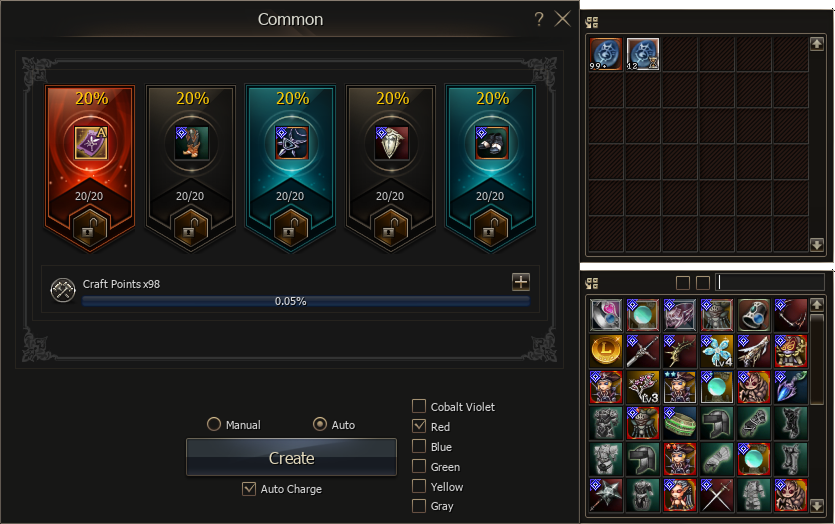
Random Crafting
Rolling RC has become even easier. The automatic random crafting function has been added: select the desired items, and the system will automatically continue crafting until exactly those items appear.

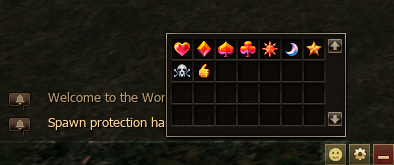
Emoji
Have you long dreamed of sending emoji in the game chat? Now it is possible. A new Emoji system has been added to the game.
Yes, yes, we will definitely add the clown emoji! 🤡

Teleports
-
Teleportation time by coordinate point: 3 seconds.
-
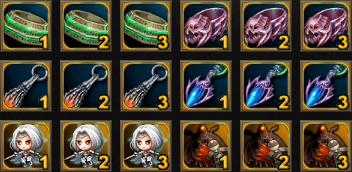
Additional teleport points for bosses have been implemented in character skills.
-
Around BigWar raid bosses, there is a zone where teleportation via Free Teleport and Coordinate Transfer is not possible.
-
For convenience, the Free Teleport window remains open after use.
-
Teleportation is available in combat mode.
-
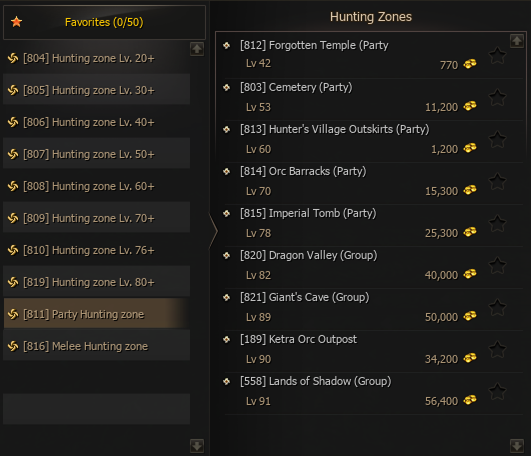
In the teleport window Alt + F, zones are divided into three categories: for solo players, for groups, and for melee classes.
Nice Little Things
-
Instant switching between equipment sets A and B.
-
Character stats are tied to armor sets A and B.
-
The ability to open a large number of chests at once. The number of chests is selected in the «Auto-use Chests» window.
-
Automatic improvement of hidden power. Hidden power is absent in the early stages.
-
Premium account status is displayed with a golden frame in the character window.
-
The system message window can now be scaled vertically and horizontally.
-
Only adena is now required to insert augmentation stones — gemstone consumption has been removed.
-
Assigned hotkeys are now tied to HWID.
- When returning to the game after a connection loss, the character remains in the party.
Contents
Contents

